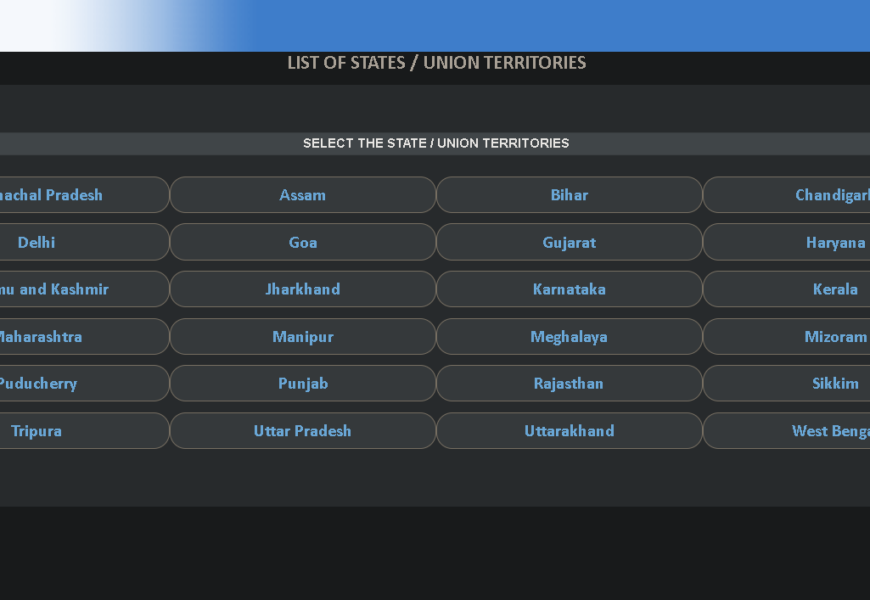
The Know Your Jurisdiction feature is a utility provided by the Central Board of Indirect Taxes and Customs (CBIC) on its GST portal. This feature enables taxpayers to find their jurisdictional officer, including the Commissionerate, Division, and Range, based on their location or GSTIN (Goods and Services Tax Identification Number).
How to Use Know Your Jurisdiction
To use the Know Your Jurisdiction feature, follow these steps:
- Visit the CBIC-GST portal: Go to the CBIC-GST portal at https://cbic-gst.gov.in/.
- Click on “Know Your Jurisdiction”: On the homepage, click on the “Know Your Jurisdiction” tab.
- Enter your location or GSTIN: Enter your location (State, District, or Pincode) or your GSTIN in the search box.
- Get your jurisdictional details: The portal will display your jurisdictional details, including the Commissionerate, Division, and Range.
Benefits of Know Your Jurisdiction
The Know Your Jurisdiction feature offers several benefits to taxpayers, including:
- Easy identification of jurisdictional officer: Taxpayers can easily find their jurisdictional officer, which helps in resolving queries and issues related to GST.
- Simplified compliance: Knowing your jurisdictional officer helps taxpayers to comply with GST regulations and file returns accurately.
- Reduced errors: The feature reduces errors in GST returns and payments, as taxpayers can ensure they are filing returns and making payments to the correct jurisdictional officer.
Other Features on the CBIC-GST Portal
The CBIC-GST portal offers several other features and utilities, including:
- GST registration: Taxpayers can register for GST on the portal.
- GST returns: Taxpayers can file their GST returns on the portal.
- GST payment: Taxpayers can make GST payments on the portal.
- Search taxpayer: Taxpayers can search for other taxpayers on the portal.
- GST rules and notifications: The portal provides access to GST rules, notifications, and circulars.
Visited 37 times, 1 visit(s) today